> For the complete documentation index, see [llms.txt](https://docs.lenses.io/latest/llms.txt). Markdown versions of documentation pages are available by appending `.md` to page URLs; this page is available as [Markdown](https://docs.lenses.io/latest/devx/6.0/user-guide/sql-studio.md).
# SQL Studio
A declarative SQL interface, for querying, transforming and manipulating data at rest and data in motion. It works with Apache Kafka topics and other data sources. It helps developers and Kafka users
The Lenses SQL Snapshot engine accesses the data at the point in time the query is executed. This means, that for Apache Kafka, data added just after the query was initiated will not be processed.
Typical use cases are but are not limited to:
* Identifying a specific message.
* Identifying a particular transaction of payment that your system has processed
* Identifying all thermostats readings for a specific customer if you are working for an energy provider
* Counting transactions processed within a given time window.
{% hint style="info" %}
The Snapshot engine presents a familiar SQL interface, but remember that it queries Kafka with no indexes. Use Kafka's metadata (partition, offset, timestamp) to improve query performance.
{% endhint %}
## Global Studio
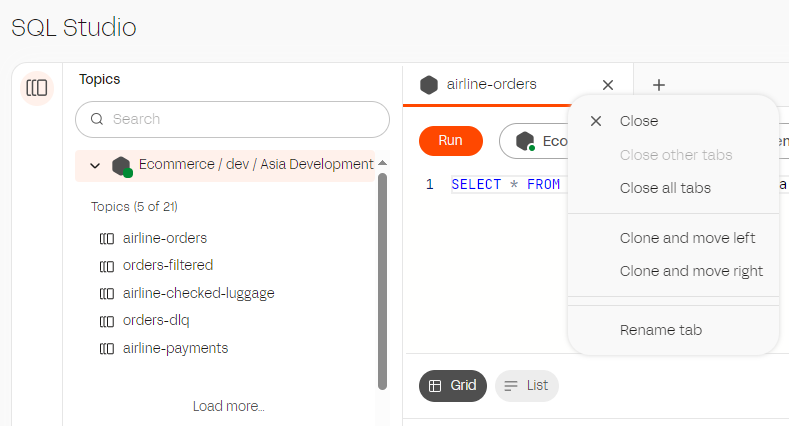
To write queries from HQ, select the SQL icon from the left hand side bar. From here you can search for topics across the environments.
Selecting a topic will automatically fire a query to show you the latest data in the topic (default to limit 10 records).
Each tab can be:
1. renamed
2. clone
3. closed
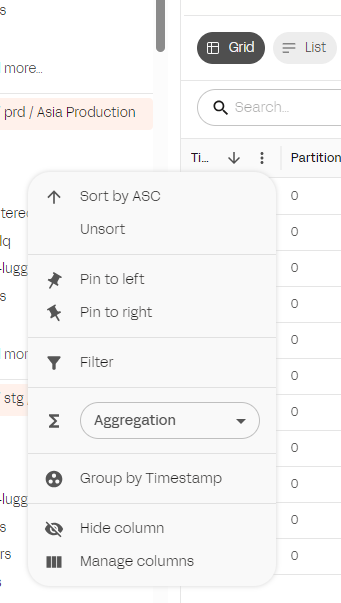
By selecting the ellispe (three dots) in the results grid you can further filter and perform actions on the resultset
{% hint style="success" %}
This is based on the data returned by the query in the grid. To filter on the backend of Lenses adjust the SQL Statement.
{% endhint %}
## Consumer Groups
SQL Studio also allows you to view consumer groups, select the ellipse (three dots) next to the topic and select `View Consumers` to open the consumer groups tab for that topic. From there you can filter the grid and perform actions on the consumer groups, for example reset the offsets to a particular time.
Vie consumer groups in studioo=
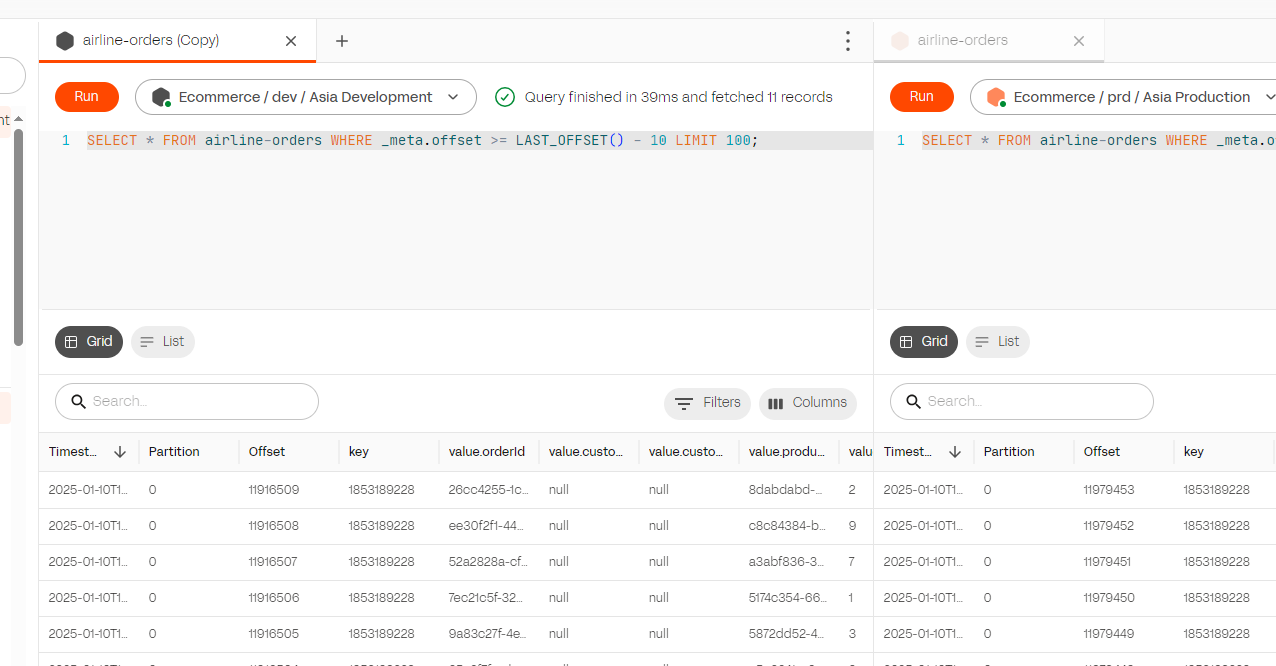
## Comparing data between environments
To compare data, clone the tab left or right and change the environment connection in the tab.
## Agent Studio
To write queries at the agent level. Go to **Environments->\[Your Environment]->Workspace->Sql Studio**, enter your query, and click run.
---
# Agent Instructions
This documentation is published with GitBook. GitBook is the documentation platform designed so that both humans and AI agents can read, navigate, and reason over technical content effectively. Learn more at gitbook.com.
## Querying This Documentation
If you need additional information that is not directly available in this page, you can query the documentation by asking a question.
Perform an HTTP GET request on the following URL with the `ask` and `goal` query parameters:
```
GET https://docs.lenses.io/latest/devx/6.0/user-guide/sql-studio.md?ask=&goal=
```
`ask` is the immediate question: it should be specific, self-contained, and written in natural language.
`goal` is what the user is ultimately trying to achieve, the reason they need the answer. Sharing it helps GitBook give you a better, more relevant answer. A goal is most helpful when it describes the outcome the user wants rather than restating the question. For example, with `ask=how do I create an API token`, a goal like `automate deployments from our CI pipeline` lets GitBook tailor the answer to that use case.
The response will contain a direct answer to the question and relevant excerpts and sources from the documentation.
Use this mechanism when the answer is not explicitly present in the current page, you need clarification or additional context, or you want to retrieve related documentation sections.