# Best practices

**Does Apache Kafka have indexing?**

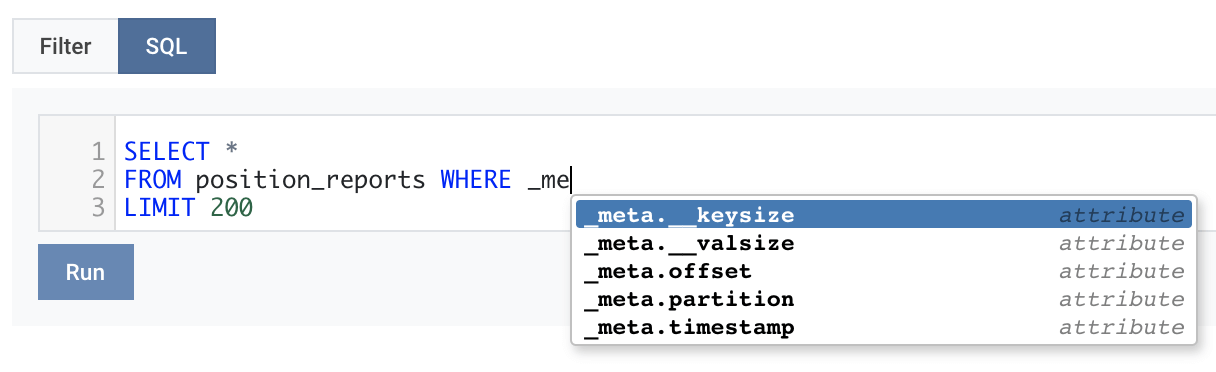
No. Apache Kafka does not have the full indexing capabilities in the payload (indexes typically come at a high cost even on an RDBMS / DB or a system like Elastic Search), however, Kafka indexes the ***metadata***.

The only filters Kafka supports are ***topic***, ***partition*** and ***offsets*** or ***timestamps***.

<figure><img src="https://3471212993-files.gitbook.io/~/files/v0/b/gitbook-x-prod.appspot.com/o/spaces%2FJpmk4J5g3Kj2RRRpYUrl%2Fuploads%2Fw3u4tF7De1RYavgOk5d5%2Fpush_down_queries_kafka_metadata.png?alt=media&#x26;token=dadcc7f6-a66a-4281-8948-5a1709adcce4" alt="Push down queries using the Apache Kafka metadata"><figcaption></figcaption></figure>

When querying Kafka topic data with SQL such as

```sql
SELECT *
FROM topicA
WHERE transaction_id=123
```

a **full scan** will be executed, and the query processes the **entire data** on that topic to identify all records that match the transaction id.

If the Kafka topic contains a billion 50KB messages - that would require querying 50 GB of data. Depending on your network capabilities, brokers’ performance, any quotas on your account, and other parameters, fetching **50 GB** of data could take some time! Even more, if the data is compressed. In the last case, the client has to decompress it before parsing the raw bytes to translate into a structure to which the query can be applied.

{% hint style="success" %}
Query by [partition](https://docs.lenses.io/latest/devx/6.0/user-guide/filtering#query-by-partitions), [offset ](https://docs.lenses.io/latest/devx/6.0/user-guide/filtering#query-by-offsets)or [timestamp ](https://docs.lenses.io/latest/devx/6.0/user-guide/filtering#query-by-timestamp)to avoid full scans.
{% endhint %}

## Understanding bad records

When Lenses can’t read (deserialize) your topic’s messages, it classifies them as “bad records”. This happens for one of the following reasons:

* Kafka records are corrupted. On an AVRO topic, a rogue producer might have published a different format
* Lenses topic settings do not match the payload data. Maybe a topic was incorrectly given AVRO format when it’s JSON or vice versa
* If AVRO payload is involved, maybe the Schema Registry is down or not accessible from the machine running Lenses

By default, Lenses skips them and displays the records’ metadata in the Bad Records tab. If you want to force stop the query in such case use:

```sql
SET skip.bad.records=false;
SELECT * FROM topicA LIMIT 100
```

{% hint style="success" %}
You can view bad records in the **Bad Records** tab of the query results in Global SQL Studio.

![](https://3471212993-files.gitbook.io/~/files/v0/b/gitbook-x-prod.appspot.com/o/spaces%2FJpmk4J5g3Kj2RRRpYUrl%2Fuploads%2FwYyNWHy1mfwb9QrbRD4U%2Fimage.png?alt=media\&token=d422cff0-e4f1-42cf-866b-9aac21328a95)
{% endhint %}

## Control execution <a href="#control-execution" id="control-execution"></a>

Querying a table can take a long time if it contains a lot of records. The underlying Kafka topic has to be read, the filter conditions applied, and the projections made.

Additionally, the `SELECT` statement could end up bringing a large amount of data to the client. To be able to constrain the resources involved, Lenses allows for context customization, which ends up driving the execution, thus giving control to the user. Here is the list of context parameters to overwrite:

<table data-full-width="false"><thead><tr><th width="246">Name</th><th>Description</th><th>Example</th></tr></thead><tbody><tr><td>max.size</td><td>The maximum amount of Kafka data to scan. This is to avoid full topic scan over large topics. It can be expressed as bytes (1024), as kilo-bytes (1024k), as mega-bytes (10m) or as giga-bytes (5g). Default is 20MB.</td><td><code>SET max.size = '1g';</code></td></tr><tr><td>max.query.time</td><td>The maximum amount of time the query is allowed to run. It can be specified as milliseconds (2000ms), as hours (2h), minutes (10m) or seconds (60s). Default is 1 hour.</td><td><code>SET max.query.time = '60000ms';</code></td></tr><tr><td>max.idle.time</td><td>The amount of time to wait when no more records are read from the source before the query is completed. Default is <strong>5</strong> seconds</td><td><code>SET max.idle.time = '5s';</code></td></tr><tr><td>LIMIT N</td><td>The maximum of records to return. Default is 10000</td><td><code>SELECT * FROM payments LIMIT 100;</code></td></tr><tr><td>show.bad.records</td><td>Flag to drive the behavior of handling topic records when their payload does not correspond with the table storage format. Default is <strong>true</strong>. This means bad records are processed, and displayed seperately in the Bad Records section. Set it to false to fail to skip them completely.</td><td><code>SET show.bad.records=false;</code></td></tr><tr><td>format.timestamp</td><td>Flag to control the values for Avro date time. Avro encodes date time via Long values. Set the value to true if you want the values to be returned as text and in a human readable format.</td><td><code>SET format.timestamp=true;</code></td></tr><tr><td>format.decimal</td><td>Flag to control the formatting of decimal types. Use to specify how many decimal places are shown.</td><td><code>SET format.decimal= 2;</code></td></tr><tr><td>format.uppercase</td><td>Flag to control the formatting of string types. Use to specify if strings should all be made uppercase. Default is false.</td><td><code>SET format.decimal= 2;</code></td></tr><tr><td>live.aggs</td><td>Flag to control if aggregation queries should be allowed to run. Since they accumulate data they require more memory to retain the state.</td><td><code>SET live.aggs=true;</code></td></tr><tr><td>max.group.records</td><td>When an aggregation is calculated, this config is used to define the maximum number of records over which the engine is computed. Default is 10 000 000</td><td><code>SET max.group.records=10000000</code></td></tr><tr><td>optimize.kafka.partition</td><td>When enabled, it will use the primitive used for the _key filter to determine the partition the same way the default Kafka partitioner logic does. Therefore, queries like <code>SELECT * FROM trips WHERE _key='customer_id_value';</code> on multiple partition topics will only read one partition as opposed to the entire topic. To disable it, set the flag to false.</td><td><code>SET optimize.kafka.partition=false;</code></td></tr><tr><td>query.parallel</td><td>When used, it will parallelize the query. The number provided will be capped by the target topic partitions count.</td><td><code>SET query.parallel=2;</code></td></tr><tr><td>query.buffer</td><td>Internal buffer when processing messages. Higher number might yield better performance when coupled with <code>max.poll.records</code>.</td><td><code>SET query.buffer=50000;</code></td></tr><tr><td>kafka.offset.timeout</td><td>Timeout for retrieving target topic start/end offsets.</td><td><code>SET kafka.offset.timeout=20000;</code></td></tr><tr><td>kafka.offset.batch.size</td><td>When enabled, retrieves start/end offsets for topic-partition pairs in batches of the specified size instead of fetching all offsets simultaneously. Helps prevent timeouts with slow or overloaded Kafka clusters.</td><td>SET kafka.offset.batch.size=4;</td></tr></tbody></table>

All the above values can be given a default value via the configuration file. Using `lenses.sql.settings` as prefix the `format.timestamp` can be set like this:

```bash
lenses.sql.settings.format.timestamp=true
```

## Query tuning <a href="#query-tuning" id="query-tuning"></a>

Lenses SQL uses Kafka Consumer to read the data. This means that an advanced user with knowledge of Kafka could tweak the consumer properties to achieve better throughput. This would occur on very rare occasions. The query context can receive Kafka consumer settings. For example, the `max.poll.records` consumer can be set as:

```sql
SET max.poll.records= 100000;

SELECT *
FROM payments
LIMIT 1000000
```

### Example <a href="#example" id="example"></a>

The fact is that streaming SQL is operating on unbounded streams of events: a query would normally be a never-ending query. In order to bring query termination semantics into Apache Kafka we introduced 4 controls:

* LIMIT = 10000 - Force the query to terminate when 10,000 records are matched.
* max.bytes = 20000000 - Force the query to terminate once 20 MBytes have been retrieved.
* max.time = 60000 - Force the query to terminate after 60 seconds.
* max.zero.polls = 8 - Force the query to terminate after 8 consecutive polls are empty, indicating we have exhausted a topic.

Thus, when retrieving data, you can set a limit of 1GB to the maximum number of bytes retrieved and a maximum query time of one hour like this:

```sql
SET max.bytes = 1000000000;
SET max.time = 60000000;

SELECT * 
FROM topicA 
WHERE customer.id = "XXX";
```


---

# Agent Instructions: Querying This Documentation

If you need additional information that is not directly available in this page, you can query the documentation dynamically by asking a question.

Perform an HTTP GET request on the current page URL with the `ask` query parameter:

```
GET https://docs.lenses.io/latest/devx/6.0/user-guide/sql-studio/best-practices.md?ask=<question>
```

The question should be specific, self-contained, and written in natural language.
The response will contain a direct answer to the question and relevant excerpts and sources from the documentation.

Use this mechanism when the answer is not explicitly present in the current page, you need clarification or additional context, or you want to retrieve related documentation sections.