> For the complete documentation index, see [llms.txt](https://docs.lenses.io/latest/llms.txt). Markdown versions of documentation pages are available by appending `.md` to page URLs; this page is available as [Markdown](https://docs.lenses.io/latest/devx/6.1/changelog/lenses-hq/version-6.1/features-improvements-and-fixes.md).
# Features / Improvements & Fixes
Changelog details for Lenses 6.1.0
## New :tada:
### Kafka Connections
Kafka Connections allow administrators to define connections to Kafka as Kubernetes secrets or service accounts, that reference the credentials to connect with.
Most organisations already use secret providers such as AWS Secret Manager or Vault, and sync these to Kubernetes secrets automatically. This ensures Lenses or users deploying applications never need to deal with the credentials themselves.
See the [documentation ](/latest/devx/6.1/user-guide/applications/kafka-connections.md)to get started.
### Kafka to Kafka Replication
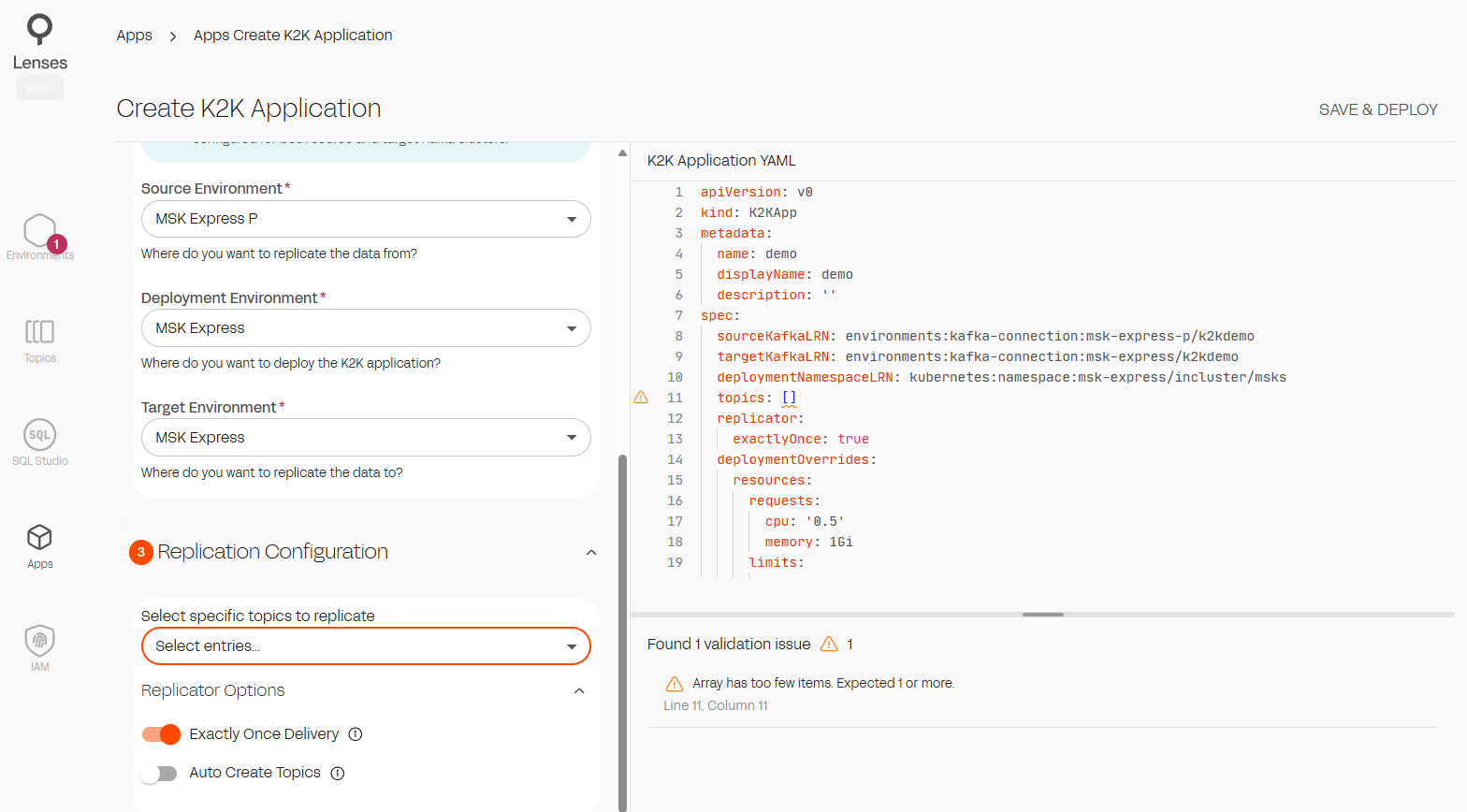
Lenses Kafka to Kafka Replicator is now integrated into Lenses. You can configure and deploy Lenses, with predefined Kafka Connections to move data between AWS MSK IAM clusters.
{% hint style="success" %}
More cluster authentication methods and providers coming soon!
{% endhint %}
See the [documentation ](#kafka-to-kafka-replication)to get started.
## Improvements :muscle:
### Configure Agent Provisioning from HQ
You can now create an environment and configure the Agent provisioning directly from HQ. JSON schema support is added, providing syntax highlighting, auto completion and error reporting.
You can also view and edit the existing provisioning files of agents already connected.
### SQL Studio
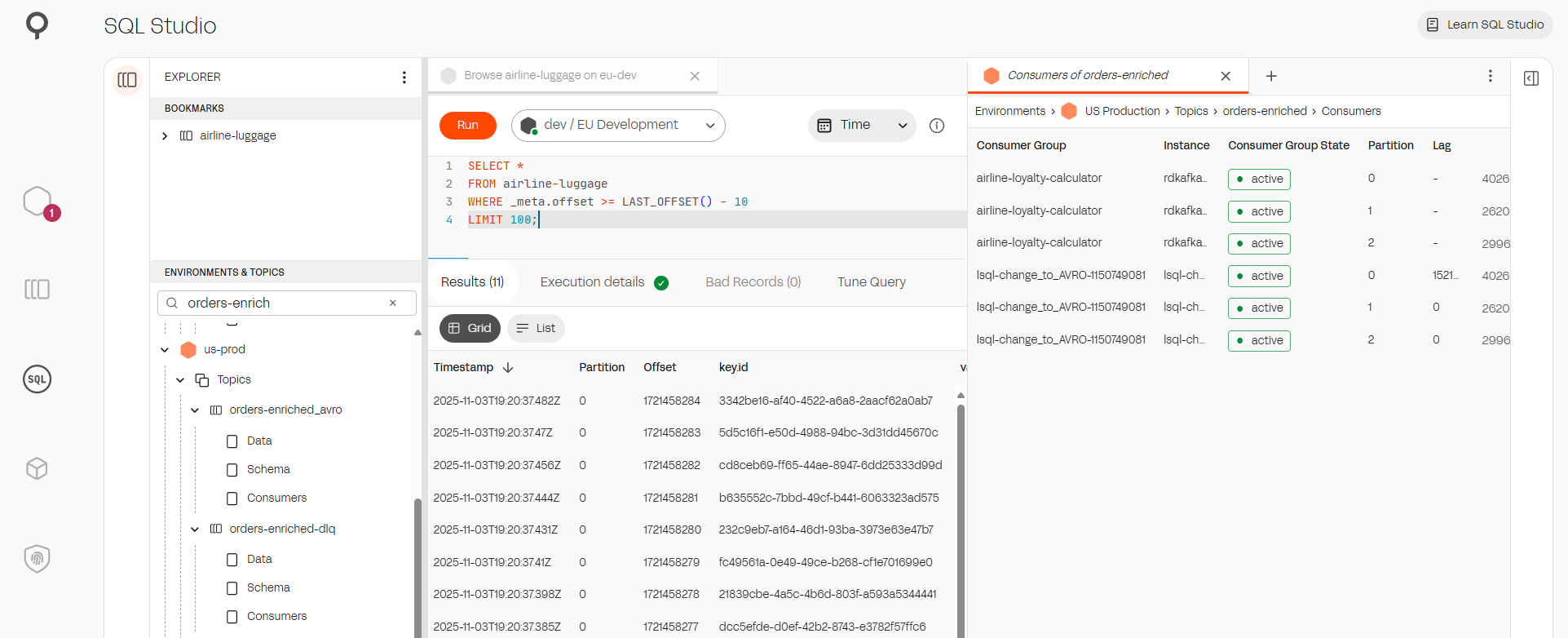
SQL Studio is moving forward again, and now brings a more IDE style experience. An improved tree navigation provides:
1. Improved search functionality
2. Expanded topics nodes to browse schemas and consumer groups associated with topics
3. Context menu support to allow actions on topics
4. Bookmarking of favourite topics.
### Performance
Enhanced the performance of the environments screen, making it more responsive and capable of handling larger datasets.
### Helm
**Service Type Configuration**: Added configurable `service.type` parameter to allow customization of the Kubernetes service type (ClusterIP, NodePort, LoadBalancer, etc.)
* New parameter in `values.yaml`: `service.type` (default: `ClusterIP`)
* Updated service template to use the configurable value
## Fixes :white\_check\_mark:
#### Helm
**Fix values.schema.json** examples format for postgres params object
---
# Agent Instructions
This documentation is published with GitBook. GitBook is the documentation platform designed so that both humans and AI agents can read, navigate, and reason over technical content effectively. Learn more at gitbook.com.
## Querying This Documentation
If you need additional information that is not directly available in this page, you can query the documentation dynamically by asking a question.
Perform an HTTP GET request on the current page URL with the `ask` query parameter, and the optional `goal` query parameter:
```
GET https://docs.lenses.io/latest/devx/6.1/changelog/lenses-hq/version-6.1/features-improvements-and-fixes.md?ask=&goal=
```
`ask` is the immediate question: it should be specific, self-contained, and written in natural language.
`goal` is optional and describes the broader end goal you are ultimately trying to accomplish on behalf of the user. GitBook uses it to tailor the answer towards what is most useful for that goal.
The response will contain a direct answer to the question and relevant excerpts and sources from the documentation.
Use this mechanism when the answer is not explicitly present in the current page, you need clarification or additional context, or you want to retrieve related documentation sections.