> For the complete documentation index, see [llms.txt](https://docs.lenses.io/latest/llms.txt). Markdown versions of documentation pages are available by appending `.md` to page URLs; this page is available as [Markdown](https://docs.lenses.io/latest/devx/6.1/user-guide/iam/users.md).
# Users
This page describes Users in Lenses.
{% hint style="info" %}
Users are assigned to groups. The groups inherit permissions from the roles assigned to the groups.
{% endhint %}
Users can be created manually in Lenses. Users can be of type:
1. SSO, or
2. Basic Authentication
When creating a user, you can assign group membership.
Each user can update their name, profile photo, and email address after logging in.
{% hint style="info" %}
For SSO, your SSO email is still required to log in.
{% endhint %}
## Create a User
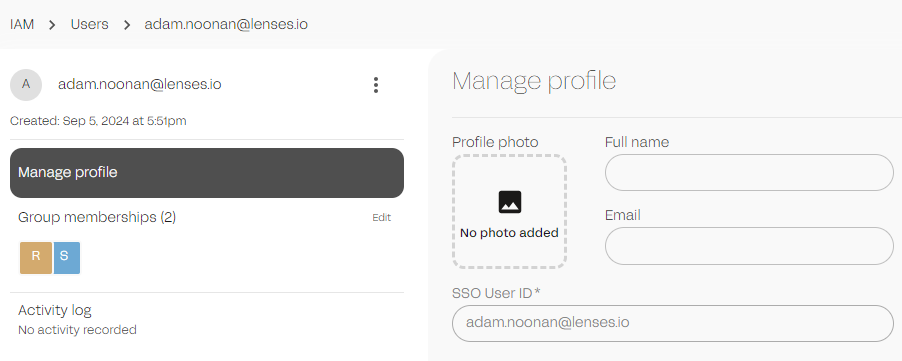
To create a user, go to **IAM → Users → New User**. After creation, assign the user to one or more groups.
IAM Users
You can also manage users via the CLI and YAML, for CI/CD automation.
{% code title="terminal" %}
```bash
➜ lenses users
Usage:
lenses users [command]
Aliases:
users, usr, u
Available Commands:
create Creates a new user.
delete Deletes a user.
get Returns a specific user
get-current Returns the currently authenticated user
list Returns all users
metadata Manages user metadata.
set-groups Assigns the given user exactly to the provided groups, ensuring they are not part of any other groups.
update Updates a user.
update-profile Allows updating fields of the user profile.
```
{% endcode %}
---
# Agent Instructions
This documentation is published with GitBook. GitBook is the documentation platform designed so that both humans and AI agents can read, navigate, and reason over technical content effectively. Learn more at gitbook.com.
## Querying This Documentation
If you need additional information that is not directly available in this page, you can query the documentation dynamically by asking a question.
Perform an HTTP GET request on the current page URL with the `ask` query parameter, and the optional `goal` query parameter:
```
GET https://docs.lenses.io/latest/devx/6.1/user-guide/iam/users.md?ask=&goal=
```
`ask` is the immediate question: it should be specific, self-contained, and written in natural language.
`goal` is optional and describes the broader end goal you are ultimately trying to accomplish on behalf of the user. GitBook uses it to tailor the answer towards what is most useful for that goal.
The response will contain a direct answer to the question and relevant excerpts and sources from the documentation.
Use this mechanism when the answer is not explicitly present in the current page, you need clarification or additional context, or you want to retrieve related documentation sections.